JG Comic Viewer2.1.0.0
Publisher Description
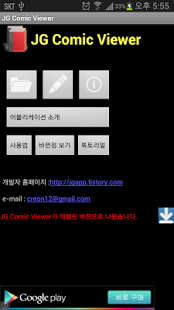
sorry for my English.
☆ The device that is lower than gingerbread(api level 9) is not support anymore (Froyo, Eclair, ...)
- Application Description
JG Comic Viewer can see an image file from Compressed File(zip
file, RAR file).
JG Comic Viewr is good for comic.
- Technical Desciption
★Support Compressed Files.
- Zip , RAR, 7z
★Can not support compressed files.
- alz, tar, ... etc
★Multi-folder support in Compressed File.
ex)
test.zip
└ a folder ...
└ b folder ...
└ ....
★Multi-Compressed File can not supoort
ex)
test.zip
└ a.zip ...
★ Tablet PC support. but it dose not test in real device.
- etc ..
1.If application update
- I recommend delete cache menu in file select.
2.If first install
- nothing to do.
mail : jgapp11@gmail.com
-------------------------------
Using Permissions :
android.permission.ACCESS_NETWORK_STATE
- For in app advertisement, notice
android.permission.ACCESS_WIFI_STATE
- For in app advertisement, notice
android.permission.INTERNET
- for in app advertisement, notice
android.permission.READ_EXTERNAL_STORAGE
- To read compressed file
android.permission.WRITE_EXTERNAL_STORAGE
- To extract compressed file
--------------------------
About JG Comic Viewer
The company that develops JG Comic Viewer is Beack Jong Gil. The latest version released by its developer is 2.1.0.0. This app was rated by 1 users of our site and has an average rating of 5.0.
To install JG Comic Viewer on your Android device, just click the green Continue To App button above to start the installation process. The app is listed on our website since 2014-11-08 and was downloaded 8 times. We have already checked if the download link is safe, however for your own protection we recommend that you scan the downloaded app with your antivirus. Your antivirus may detect the JG Comic Viewer as malware as malware if the download link to com.JGViewer is broken.
How to install JG Comic Viewer on your Android device:
- Click on the Continue To App button on our website. This will redirect you to Google Play.
- Once the JG Comic Viewer is shown in the Google Play listing of your Android device, you can start its download and installation. Tap on the Install button located below the search bar and to the right of the app icon.
- A pop-up window with the permissions required by JG Comic Viewer will be shown. Click on Accept to continue the process.
- JG Comic Viewer will be downloaded onto your device, displaying a progress. Once the download completes, the installation will start and you'll get a notification after the installation is finished.
Program Details
System requirements
Download information
Pricing
Version History
version 2.1.0.0_Rev_26
posted on 2014-11-08
version 2.1 Rev 26,- bug fix,- Image View Screen Fit Option Added,version 2.1 Rev 25,-bug fix,version 2.1 Rev 24,-bug fix,version 2.1 Rev 23,- bug fix,- ad fix,version 2.1 Rev 22,- bug fix,version 2.1 Rev 21,- bug fix,version 2.1 Rev 20,- bug fix,version 2.1 Rev 19,- bug fix
version 2.1.0.0.0
posted on 2013-06-20
Several fixes and updates
